A Professional's Take on the New Baseus Security S2 Outdoor Camera 4K
Outdoor security cameras have matured fast: 4K resolution is becoming more common, AI detection has moved from “nice-to-have” to baseline, and many homeowners now expect local storage options that don’t require a monthly subscription. At the same time, real-world installation remains the make-or-break factor—especially when the camera is battery-powered and relies on solar charging. Buyers typically care less about headline specs and more about whether the camera captures usable evidence, avoids nuisance alerts, survives harsh weather, and fits into daily routines without constant maintenance.
The Baseus Security S2 Outdoor Camera 4K enters this market with an attention-grabbing promise: a sun-tracking solar charging system designed to keep the camera running with minimal babysitting, plus 4K video, radar + PIR dual sensing to reduce false alerts, and subscription-free local storage. It also leans into “smart” features such as AI dual detection and face recognition, while supporting popular voice ecosystems like Alexa and Google Assistant.
This article breaks down how the S2 looks on paper, what matters in real homes and small businesses, where it excels, and where its design choices impose limits—so readers can decide whether it’s the right fit for their property and risk model.
What the Baseus Security S2 Outdoor Camera 4K Is (and Who It’s For)
The S2 is a wire-free outdoor security camera designed for people who want:
- High detail (4K) for identifying faces, packages, and license plates at reasonable distances
- Low ongoing costs through local microSD recording rather than mandatory cloud subscriptions
- Minimal maintenance via solar charging, ideally without frequent battery removals or cable runs
- Fewer false alerts using multi-sensor detection (radar + PIR) plus AI filtering
It is particularly relevant for use cases like:
- Front entry oversight: monitoring deliveries, porch approach paths, and “did someone come to the door?” moments
- Driveway and vehicle monitoring: capturing motion events around parked cars and garage doors
- Side-yard coverage: watching gates and narrow corridors where intruders often move
- Small business perimeter checks: patios, storage areas, or back entrances where running power is inconvenient
Where the S2 is less ideal is equally important: if the location doesn’t get reliable sunlight, if the threat model demands offsite backups, or if the buyer expects NVR/NAS integration as standard.
Core Specs and Features That Matter in Daily Use
4K Video and Wide Field of View
On Baseus’ product listing, the camera is positioned around 4K Ultra HD capture with a 145° field of view and a listed 15 fps frame rate. A wide field of view is helpful for covering a porch plus some adjacent yard, or a driveway and the sidewalk edge, without needing multiple cameras. The tradeoff is that wider views can reduce subject size at distance—so placement still matters.
From a practical standpoint, 4K brings two benefits buyers actually notice:
- Digital zoom that remains usable for reviewing faces, package labels, or clothing details after the fact
- Clearer motion evidence when someone crosses the frame quickly, which is where lower resolutions often blur
However, 4K also has costs: it increases storage consumption and can amplify Wi-Fi demands (especially when multiple cameras are streaming or when the router is distant).
Full-Color Night Vision and On-Camera Lighting
Baseus markets the S2 with full-color night vision. In real-world terms, “color at night” tends to depend on ambient light or an active light source (often a spotlight). Buyers generally care less about whether the footage is color and more about whether it’s identifiable: can one distinguish a face, an object in hands, or a vehicle detail?
For many households, the most useful night setup is:
- Color mode for areas with some lighting (porch lights, driveway lamps, streetlights)
- Traditional night mode (IR/low-light) for darker side yards where a spotlight would bother neighbors
The right choice depends on the environment and social context—especially in dense neighborhoods where bright motion-activated lights can become a nuisance.
Solar Charging That Tracks the Sun
The S2’s standout design element is the sun-tracking solar panel, which rotates to maximize solar exposure. In professional terms, this aims to solve the biggest pain point of battery outdoor cameras: the slow drift from “it works great” to “why is it offline again?” when winter arrives, a tree grows leaves, or motion activity increases.
In real homes, solar charging success usually comes down to:
- Mounting angle: panels need clear sky exposure, not just “it’s outside”
- Seasonal sunlight: a location that charges well in July may struggle in December
- Event volume: heavy motion traffic (busy sidewalk, pets, street-facing yard) increases power draw
A tracking panel can help at the margins—particularly in partial sun where a fixed panel might underperform. But it cannot create energy where there is none. A shaded eave on the north side of a home (in the U.S.) will remain challenging.
Dual-Sensor Motion Detection (Radar + PIR)
Baseus positions the S2 as using radar + PIR dual-sensing. Buyers typically care about this because nuisance notifications are the number-one reason cameras get ignored. A camera that “cries wolf” trains people to silence alerts—at which point it stops serving its safety purpose.
Looking for the best Electronics deals on Amazon?
See Deals →In practice, dual-sensor approaches can reduce false alerts triggered by:
- Wind-driven foliage and shadows
- Headlight sweeps across a driveway
- Small animals at the edge of the detection zone
Good detection is not just the sensor—software tuning, zone configuration, and sensitivity settings are equally important. The best setups are those where the camera is aimed to capture the approach path (where people must walk), while ignoring high-motion backgrounds (trees, roads).
AI Recognition and Face Management
The S2 is promoted with AI dual detection and face recognition. For typical buyers, face recognition is less about surveillance fantasies and more about everyday practicality:
- Knowing whether it’s family, a neighbor, or a stranger at the door without opening it
- Reducing anxiety by distinguishing routine visitors from unusual ones
- Prioritizing alerts (e.g., unknown face at 2 a.m. vs. known person at 3 p.m.)
Professionally, it’s important to keep expectations realistic. Face recognition depends on camera angle, lighting, hats/hoods, and how close the subject is. Many systems perform best when the camera is mounted at an angle that captures faces approaching—not straight down from too high under an eave.
Local microSD Storage and “No Cloud Fees”
Baseus markets the S2 as offering secure local storage with no cloud fees. That’s appealing for long-term costs and for users who prefer not to upload video to a third-party cloud. The product listing also highlights encryption (commonly cited as AES + RSA) and microSD capacity support that varies by region/listing (commonly up to 256GB or higher in marketing materials).
But local-only recording comes with a critical, real-world implication: if someone steals or damages the camera, the evidence may be lost. For many buyers, the ideal is hybrid storage—local for routine review, cloud/offsite for critical events. The S2’s positioning leans strongly toward local-first, which is a valid preference, but it’s a choice that should match the homeowner’s risk model.
Weatherproofing and Outdoor Durability
The S2 is listed as IP67 weather-rated, which is the expected baseline for an outdoor camera in varied climates. Buyers typically care about:
- Heavy rain and wind resistance
- Hot sun exposure and long-term plastic degradation
- Freezing temperatures and battery performance drops in winter
Even with a strong ingress rating, mounting decisions matter: under-eave placement reduces direct rain impact and extends hardware life, but can also reduce solar exposure. The S2’s design tries to ease this tradeoff by allowing the solar panel to actively track, but it still needs the sky.
Setup and Installation: What a Professional Watches For
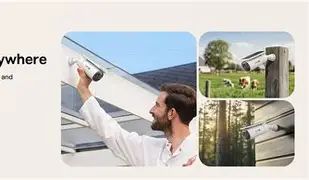
Outdoor cameras fail more often from bad placement than from bad hardware. The S2’s best performance tends to come from installations that respect these principles:
1) Place it for faces first, not “maximum area”
A wide-angle 145° view tempts people to mount high and capture everything. In practice, faces are captured best at modest heights (often around 7–9 feet, depending on the site) with the lens pointed slightly downward toward the approach path. Too high and you mostly record hats and scalps; too low and it becomes easier to tamper with.
2) Keep the background quiet
Aim away from busy roads, swaying trees, or reflective surfaces. Even great AI and dual sensors can be overwhelmed if the scene is chaotic.
3) Verify Wi-Fi before drilling
For a wire-free camera, Wi-Fi is the lifeline. Buyers should confirm signal strength at the exact mounting location. A “works on the patio” test can be misleading if the camera will actually go 20 feet farther with two walls in between.
4) Treat solar as a design constraint
If the location is shaded for most of the day, the camera may still work, but it may no longer be “set and forget.” The tracking solar panel is a meaningful differentiator, but it cannot overcome deep shade. The most reliable solar camera installations have a clear line to the sun for a significant part of the day.
Day-to-Day Experience: What Owners Typically Notice
Alert quality is the real “smart” feature
Most households want security notifications they can trust. The S2’s combination of radar + PIR sensing and AI recognition is aimed at giving fewer, more meaningful alerts—so the owner actually checks them.
Battery anxiety vs. routine confidence
Wire-free cameras often start as a convenience and become a chore when charging becomes frequent. The S2’s solar design intends to shift this from “remember to charge” to “occasionally check status.” In busy motion environments, users should still expect to tune detection zones and sensitivity to keep power draw reasonable.
Discover deals on Electronics — updated daily.
View Offers →Local storage feels private, but it changes incident response
Local microSD recording can feel cleaner and more private: no recurring fee, no cloud account, no uncertainty about subscription tiers. The tradeoff is that in a serious incident (theft, vandalism), evidence survivability depends on whether the camera remains in place and intact.
Pros & Cons
Pros
- 4K resolution provides strong detail for identifying people and objects in typical residential distances.
- Sun-tracking solar charging is a genuinely practical differentiator for reducing routine charging.
- Dual-sensor detection (radar + PIR) targets the biggest real-world pain point: false alerts.
- Local storage with no mandatory subscription improves long-term value and appeals to privacy-focused buyers.
- Weather-rated (IP67) design is appropriate for year-round outdoor deployment.
- Voice assistant compatibility (Alexa/Google) supports common smart home workflows.
Cons
- Local-only recording can be a liability if the camera is stolen or destroyed during an incident.
- Solar performance is location-dependent; shaded installs may not deliver “forever power” behavior.
- 4K and wide-angle can increase storage usage and demand better Wi-Fi reliability.
- Advanced features depend on configuration; achieving low false alerts may require zone/sensitivity tuning.
Comparison Table: Where the Baseus S2 Typically Sits in the Market
Many buyers cross-shop the S2 against other outdoor cameras in the same “wire-free + smart detection” category. The table below compares common decision factors rather than making assumptions about any single competitor’s exact specification.
| Decision Factor | Baseus Security S2 Outdoor Camera 4K | Typical Wire-Free 2K Outdoor Camera | Typical Wired 4K Outdoor Camera |
|---|---|---|---|
| Installation effort | Low to moderate (mounting + Wi-Fi + solar considerations) | Low (mounting + Wi-Fi) | Higher (power cabling, sometimes NVR/network planning) |
| Video detail | High (4K) | Moderate to good (2K) | High (4K, often higher bitrate) |
| Ongoing cost | Low (local storage emphasis, no mandatory subscription) | Varies (often cloud features behind a subscription) | Low to moderate (depends on NVR/software) |
| Power reliability | Potentially excellent with sufficient sunlight (solar + battery) | Variable (battery recharging frequency depends on activity) | Excellent (continuous power) |
| Evidence survivability | Moderate (local storage; risk if camera is stolen) | Moderate to high (depends on cloud/offsite options) | High if recording to an indoor NVR/NAS |
| Best-fit buyer | Wants crisp footage + low maintenance + no subscription | Wants convenience and can accept subscriptions or charging | Wants maximum reliability and robust retention |
Buying Guide: How to Decide If the Baseus S2 Is the Right Choice
1) Start with the site: sun exposure and mounting realities
The S2’s signature feature only matters if the camera can actually harvest sunlight. Buyers should look at the intended mounting spot at multiple times of day. A location that gets direct sun for a meaningful portion of the day is where the S2’s solar tracking can shine. If the only viable angle is deep shade, the camera may still work, but the advantage narrows.
2) Decide how important offsite backup is
For some households, local-only recording is a feature: it reduces data exposure and ongoing fees. For others—especially those concerned about camera theft—offsite backup is part of the security plan. If the property has a history of vandalism, or if cameras are mounted within easy reach, buyers should think carefully about whether local-only retention matches their needs.
3) Think in “routes,” not rooms
Outdoor security is about capturing how someone approaches: driveway to door, side gate to backyard, back door to patio. The S2’s wide field of view can cover a lot, but the best results come from positioning that captures the route and the face, not just a wide scenic shot.
4) Plan storage and retention intentionally
4K footage consumes space quickly. Buyers should decide:
- How many days of history are expected (a week, two weeks, a month?)
- How often motion happens in the scene (quiet backyard vs. busy front sidewalk)
- Whether 24/7 recording is needed or if event-based clips are sufficient
In many households, event-based recording with well-tuned detection zones provides the best balance of retention and battery life.
5) Evaluate the “real” night needs
Color night vision is useful, but the priority should be clarity. If the camera will cover a dark side yard, consider whether a spotlight is acceptable. In some neighborhoods it is; in others it creates complaints. If keeping lighting subtle matters, verify that the camera’s night performance remains usable without blasting the area with light.
6) Consider how the camera fits into everyday workflows
Buyers tend to be happiest when the camera supports simple routines:
- Delivery verification: quick access to clips without delays
- Quiet hours: reduced alert noise at night, but meaningful alerts still break through
- Family awareness: recognizing familiar faces and reducing unnecessary notifications
When those routines are in place, the camera feels like a protective utility rather than another app demanding attention.
Conclusion
The Baseus Security S2 Outdoor Camera 4K targets a very specific—and increasingly popular—buyer profile: someone who wants crisp, high-detail outdoor footage, prefers subscription-free local storage, and is tired of the maintenance burden that often comes with battery-powered cameras. Its most distinctive advantage is the sun-tracking solar system, which addresses a genuine real-world frustration: cameras that gradually fall offline because charging becomes a chore or because solar intake is inconsistent.
At the same time, the S2’s overall value depends heavily on site conditions and security expectations. In a location with reliable sunlight and a well-chosen mounting angle, it can be the kind of camera owners stop thinking about—which is exactly the goal. For higher-risk scenarios where offsite evidence retention is a must, buyers should weigh the tradeoffs of local-first recording carefully.
For many households, though, the S2 represents a professional-grade set of priorities in a consumer-friendly package: strong image detail, smarter detection to reduce false alerts, and a practical approach to long-term ownership costs—provided it’s installed where the sun can do its part.